October 2016 - May 2017
Creating a Hands-on Coding Experience for Kids
An educational kit and app for the classroom that teaches upper elementary and middle school students how to code through games!
Project Summary
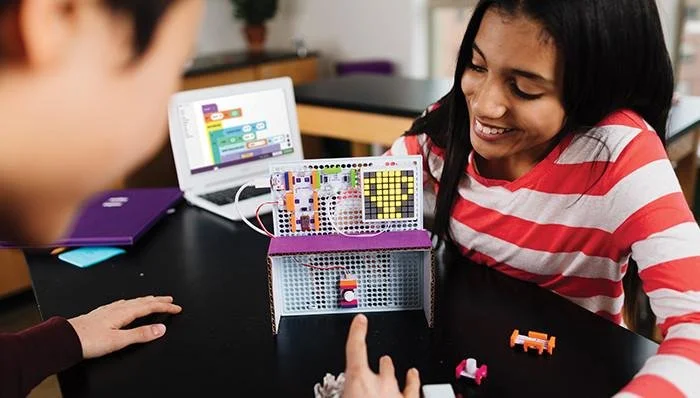
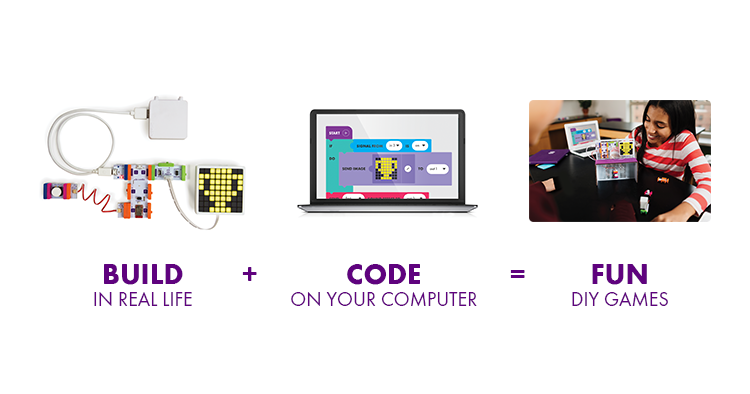
Code Kit is an educational hardware and software experience that teaches upper elementary and middle school students the fundamentals of coding through games! Students build physical circuits using littleBits magnetic modules, then bring those circuits to life by programming them through a colorful, block-based desktop app.
The goal was to make learning to code feel less intimidating and more playful, while giving teachers the tools and resources they need to confidently bring coding into the classroom.
The Challenge
Learning to code can be intimidating for both students and teachers.
For students, abstract concepts like variables, loops, and logic can be difficult to understand without a tangible connection to what they're learning. For teachers, especially those without a background in computer science, knowing what to teach and how to teach it can be an equally significant barrier.
We saw an opportunity to connect the digital and physical worlds: What if students could learn to code by building something they could actually touch, play with, and customize?
Project Goals
We wanted to create an experience that would:
Make learning to code fun and approachable.
Help students understand foundational coding concepts through play.
Connect abstract digital concepts to physical interactions.
Give students opportunities to build, code, experiment, and customize.
Provide teachers with the resources they need to confidently teach coding.
Create an experience that could work within the realities of the classroom.
My Role
I worked as a Product Designer on Code Kit alongside a large team of designers and engineers. I had the opportunity to contribute to nearly every aspect of the experience, from physical product and app experience design to educational content, prototyping, and user research.
I helped define the core user journeys for both students and educators, worked directly with an advisory council of teachers, and conducted weekly user testing in schools across New York City.
My work included:
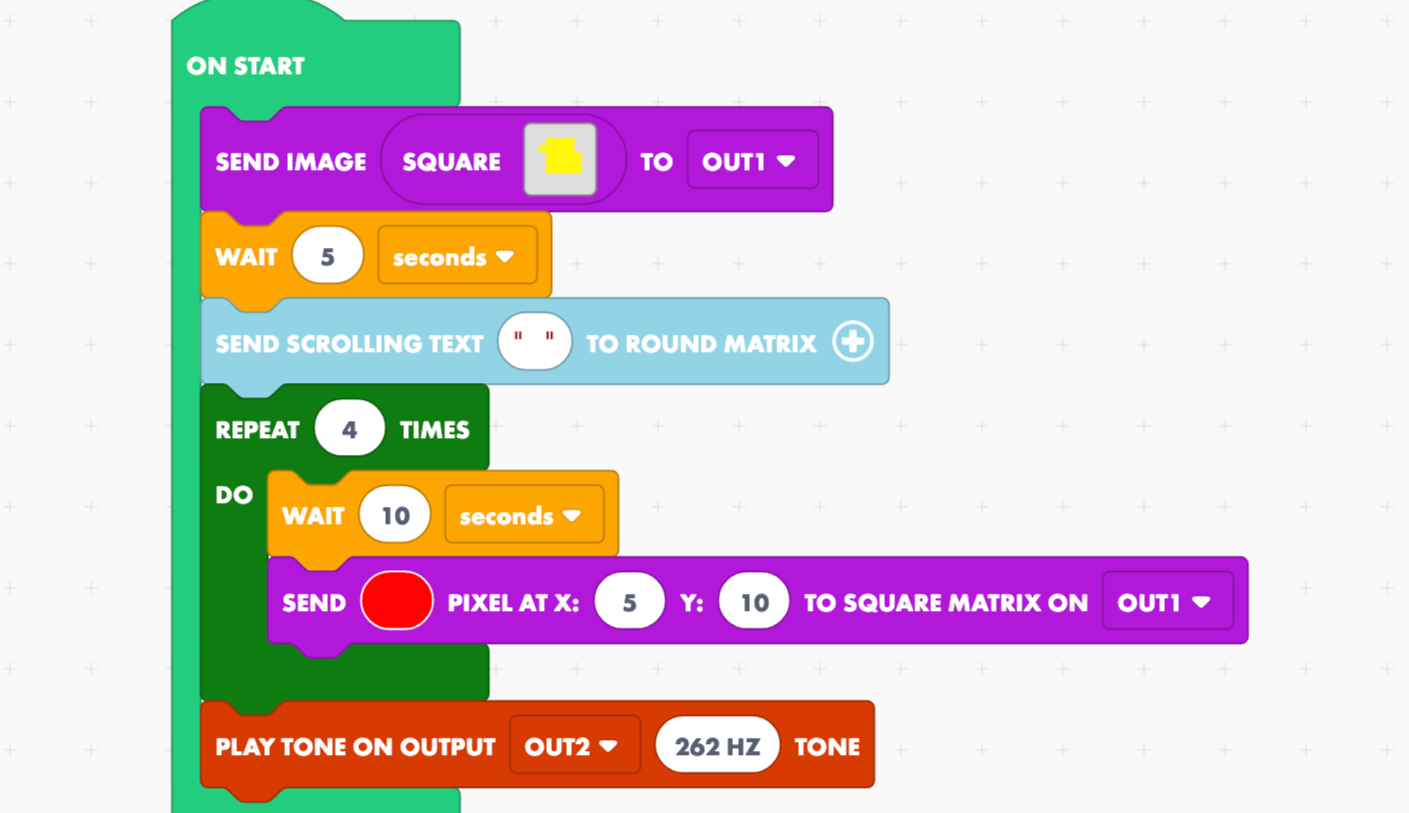
Designing and prototyping the block-based coding experience
Creating instructional content and activities
Developing games and interactive projects
Creating video and animated instructional content
Conducting user research and usability testing
Working with teachers to understand classroom needs
Collaborating with cross-functional teams to bring the experience to life
Designing new features for the desktop app after its initial release
My Process
Research & Discovery
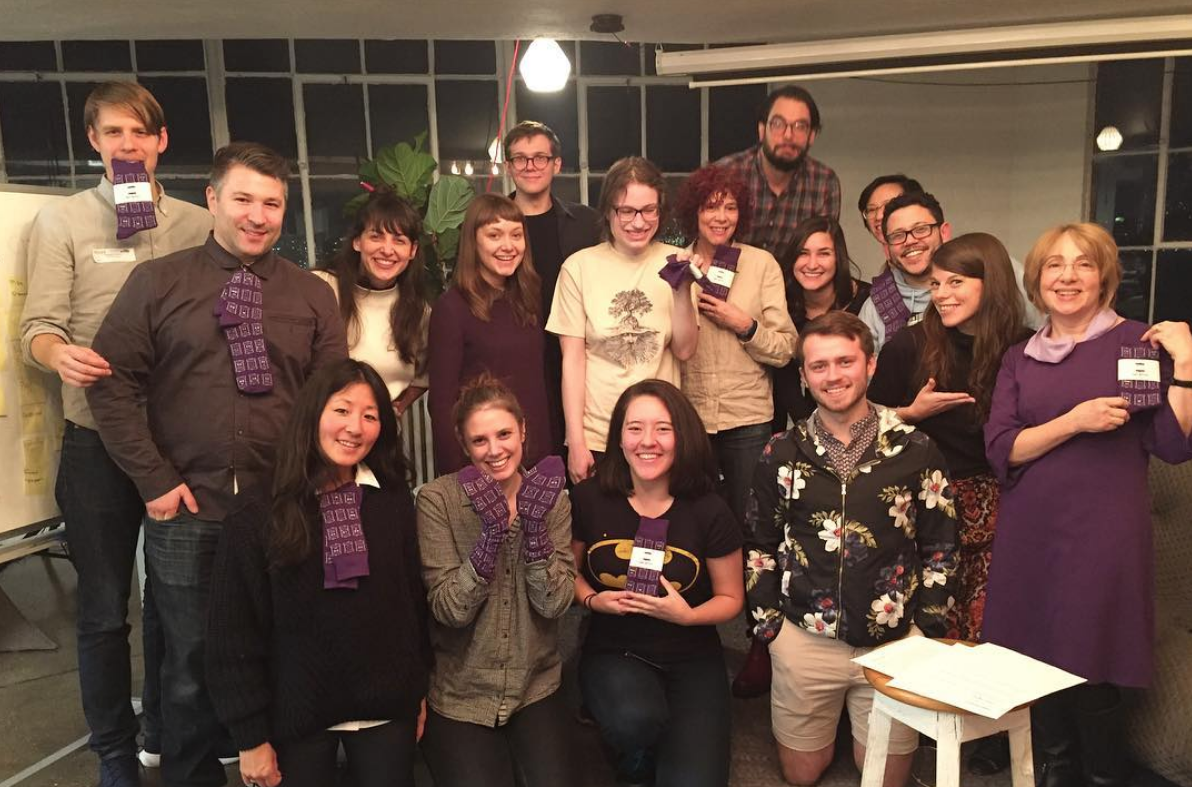
A meeting with our teacher advisory council
Advisory Council Research and Codesign
We partnered with an advisory council of teachers to understand their needs and the challenges they faced teaching coding in the classroom. We collaborated with them throughout the design process to get feedback on different product directions.
We found that many teachers wanted to introduce coding but didn’t have a computer science background. They needed support to feel prepared, including guidance, lessons, and instructional resources.
User Interviews
We interviewed students in classrooms across New York City to understand their interests and motivations. One recurring theme was their enthusiasm for games and playful experiences, which helped us explore how play could make learning to code more engaging.
Block Coding Audit
We planned to build our block-based programming experience using Blockly, an open-source library that gave us flexibility in how we structured the code blocks.
I audited Blockly’s out-of-the-box experience to understand its capabilities and limitations, and to explore how we could make coding approachable for beginners while still introducing authentic programming concepts.
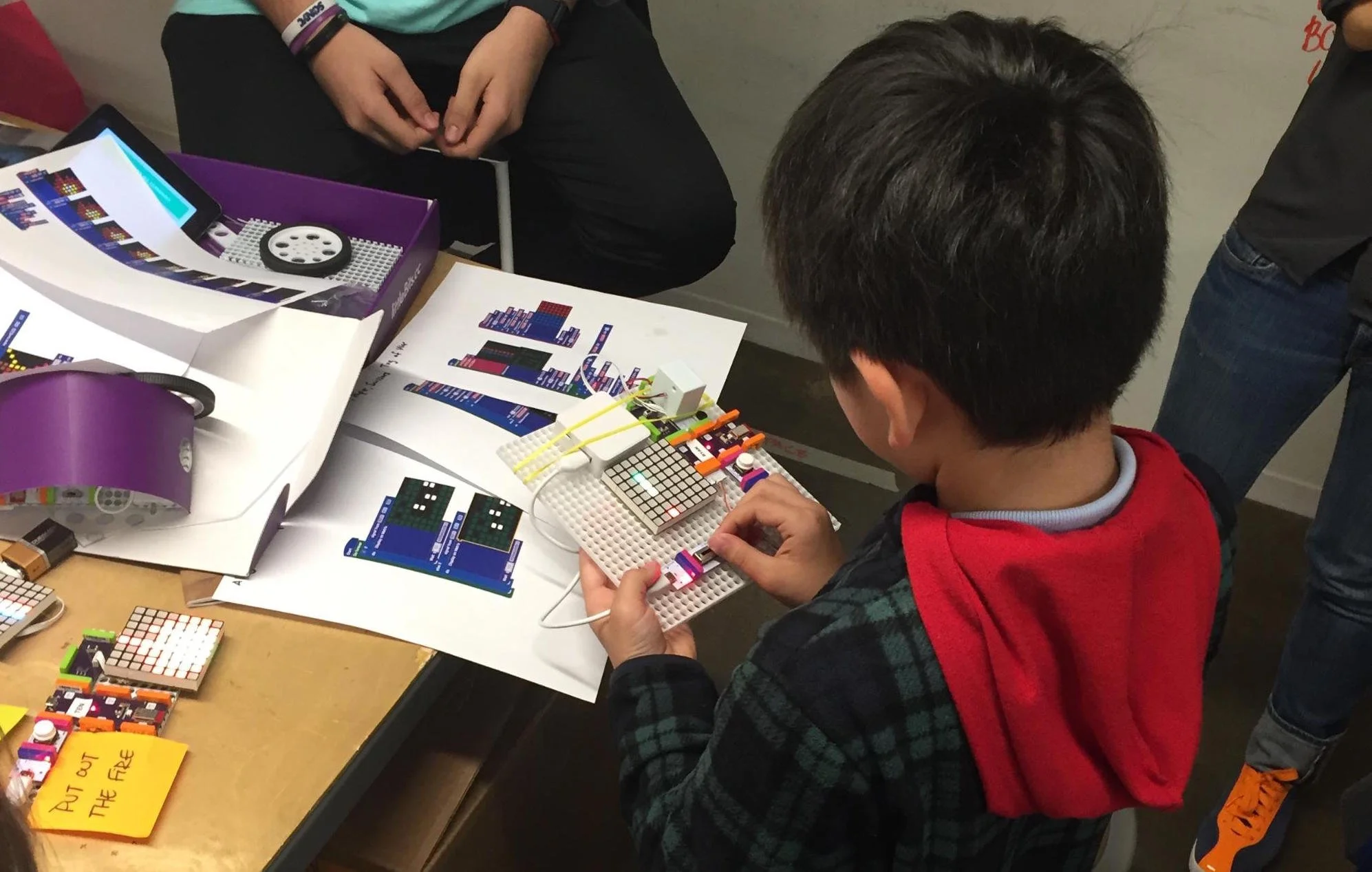
User testing early game concepts with kids
Ideation Phase
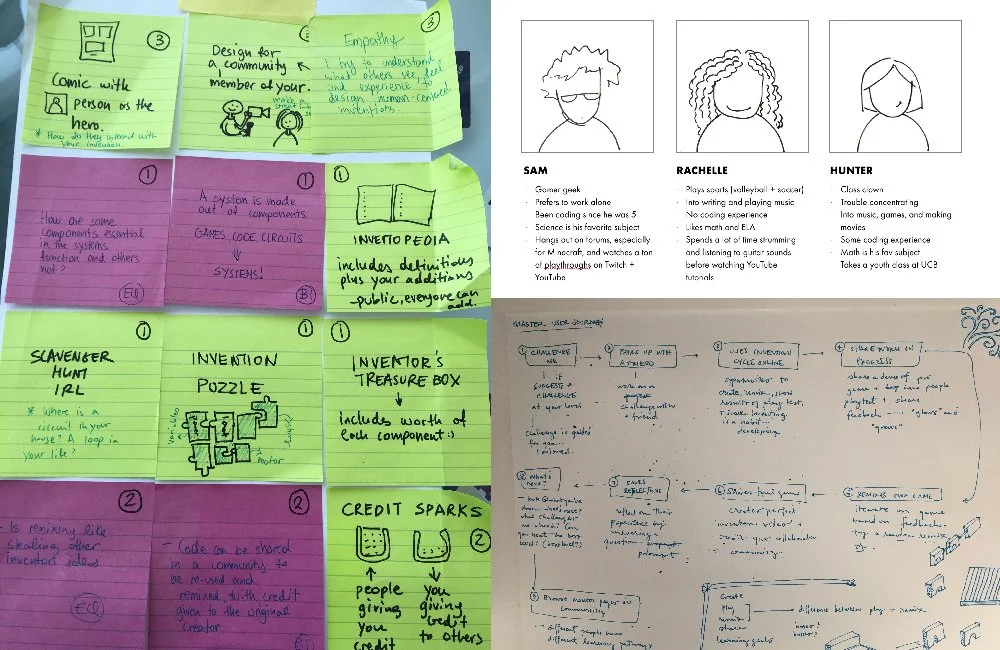
Personas and user journeys from our ideation phase
Personas
Because the experience needed to support both educators and students, we developed separate personas for each group. This helped us understand their distinct goals, needs, motivations, and challenges, and helped us to identify where their needs intersected or differed.
User Journeys
We mapped user journeys for both students and educators across different teaching and learning contexts. This helped us account for the range of environments in which the experience would be used.
For example, some schools have a dedicated STEM specialist who teaches coding in a makerspace, while others rely on classroom teachers who may have little or no coding experience. Understanding these different contexts helped us identify opportunities to make the experience flexible and accessible for educators with varying levels of expertise, while still supporting students throughout their learning journey.
Design Phase
Game Design
We started by designing the physical games that would be featured in the kit. The games needed to be simple enough for students to build and code themselves, while still being fun and exciting to play.
We explored a range of game concepts and themes and gathered feedback from students to understand which ideas were most engaging. We ultimately landed on four games: a soccer goal that keeps score, a spider-themed hot potato game, a monster-themed tug-of-war game, and a musical guitar game.
Code Block Design
As we designed the games, I worked to simplify the code needed to build them. Because Blockly is highly customizable, we could determine how much complexity to expose to students, creating a low barrier to entry while still leaving room for experimentation.
We simplified some concepts while giving students opportunities to explore more advanced ones. For example, we included a simple loop block where students could choose how many times to repeat an action, alongside a more complex for-loop block for students ready to go further.
Code Tutorial Design
We realized students needed to learn coding concepts beyond the four games to be able to “remix” them.
We created tutorials covering concepts like inputs and outputs, variables, and loops. My experience teaching introductory coding helped inform how I structured and explained these concepts.
Instructions Design
We explored how to deliver build instructions digitally rather than relying on the printed materials littleBits had traditionally used.
After experimenting with digital versions of the printed instructions, we noticed students were especially engaged by video content on YouTube. This led us to create video-based instructions inspired by the experience of a YouTube channel.
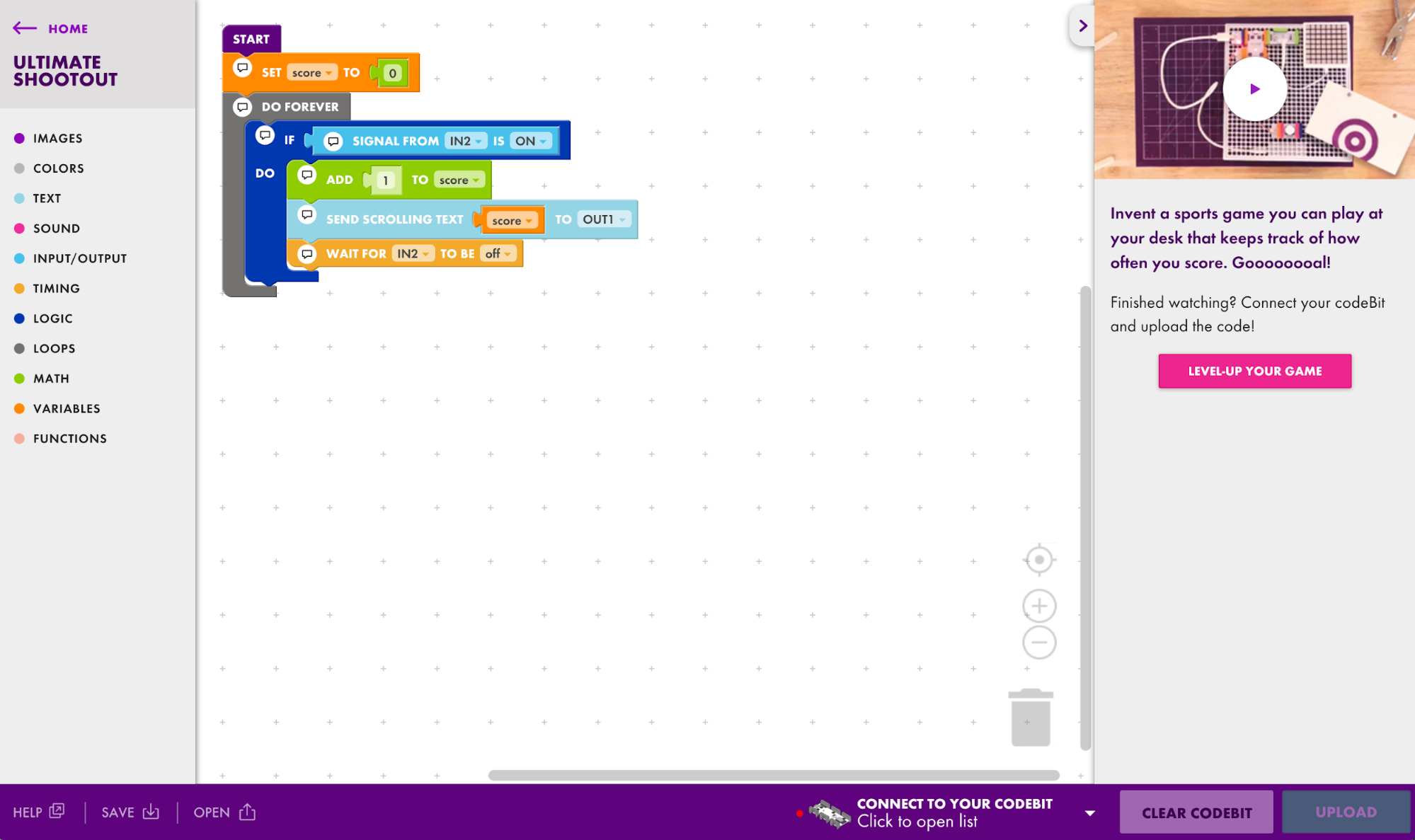
Ultimate Shootout soccer goal game code in the Code Kit app
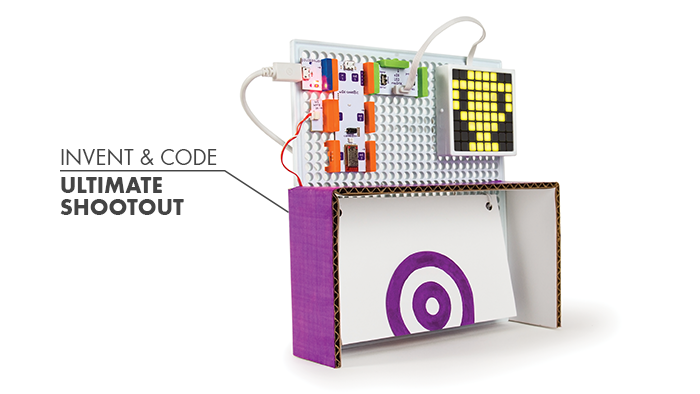
Ultimate Shootout soccer goal physical game design
Prototyping Phase
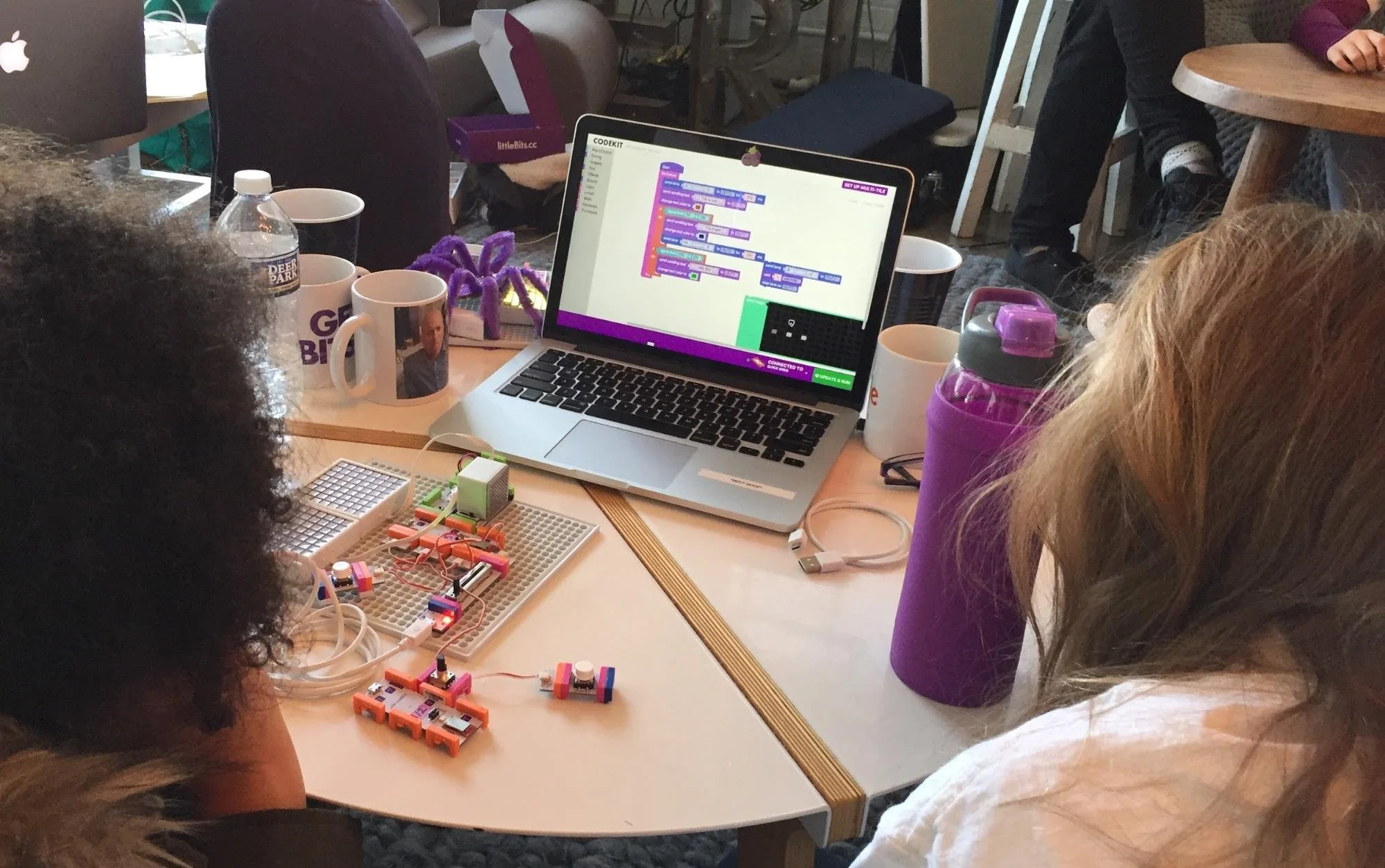
User testing in a private school in NYC
Classroom User Testing
Because this product was designed for use in schools, testing with real students and teachers was essential. We partnered with teachers from our advisory council to test the product in more than ten schools across New York City, spanning public, charter, and private schools and a range of upper elementary and middle school grades.
Digital Prototypes
To test the effectiveness of the build instructions in real classrooms, we needed a lightweight, flexible approach to prototyping. I built a custom digital prototyping tool using HTML, CSS, and JavaScript to easily deliver click-through instructions to students.
The prototypes were easy to quickly update between testing rounds, allowing us to move seamlessly from testing to iteration and refine the instructions based on student feedback.
Support Phase
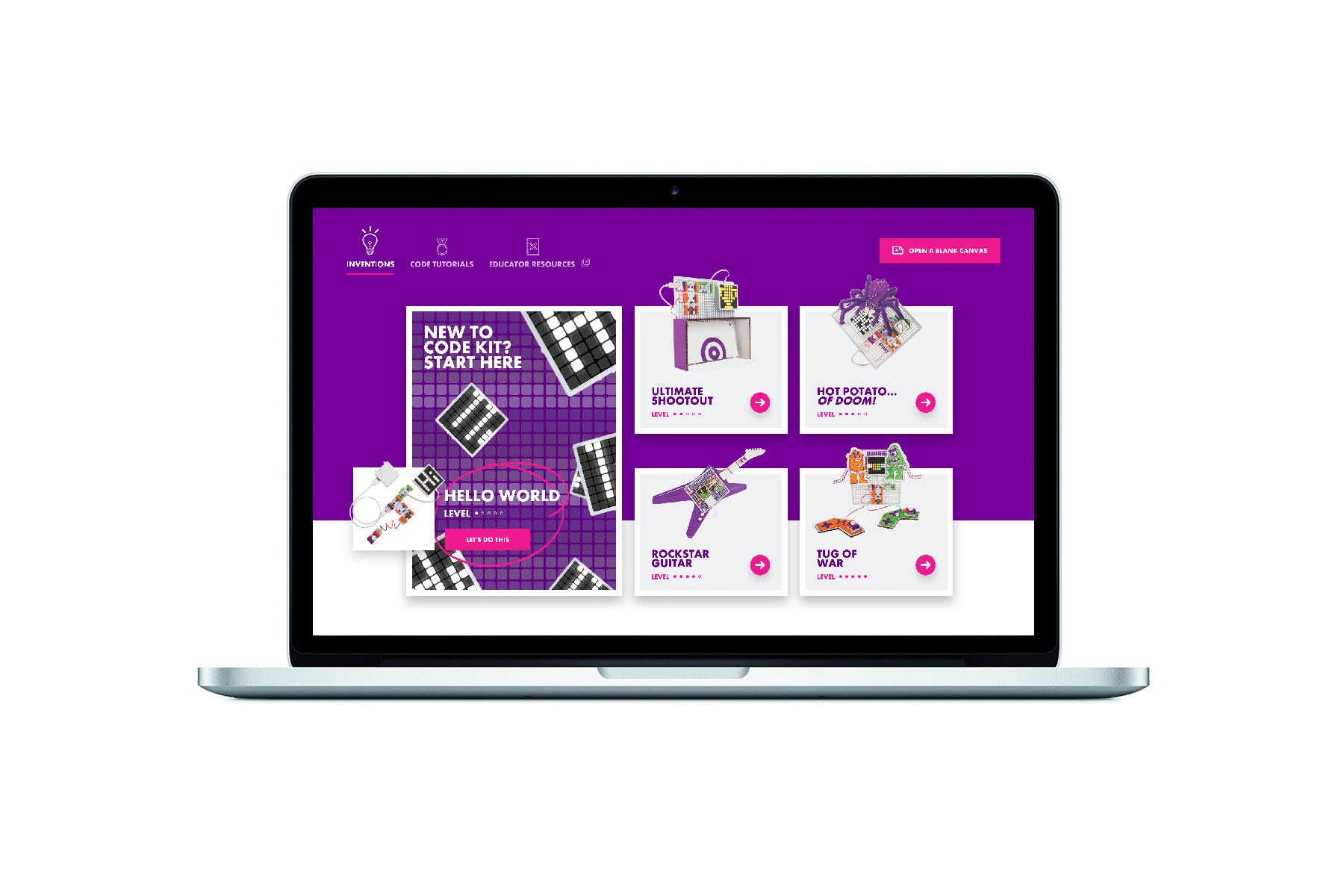
The main screen of the Code Kit App
Preparing Customer Success for Launch
Before launching Code Kit, I led a series of sessions with the Customer Success team to familiarize them with the product and prepare them to support customers. We walked through key features, workflows, and potential troubleshooting scenarios so the team could confidently support Code Kit from day one.
Evolving the Code Kit Product
After launch, I continued testing and iterating on Code Kit alongside another UX Designer. Feedback from teachers directly informed new features, including a frequently requested tool that allowed students and teachers to convert visual code blocks into JavaScript.
Insights & Impact
Designing for the Classroom
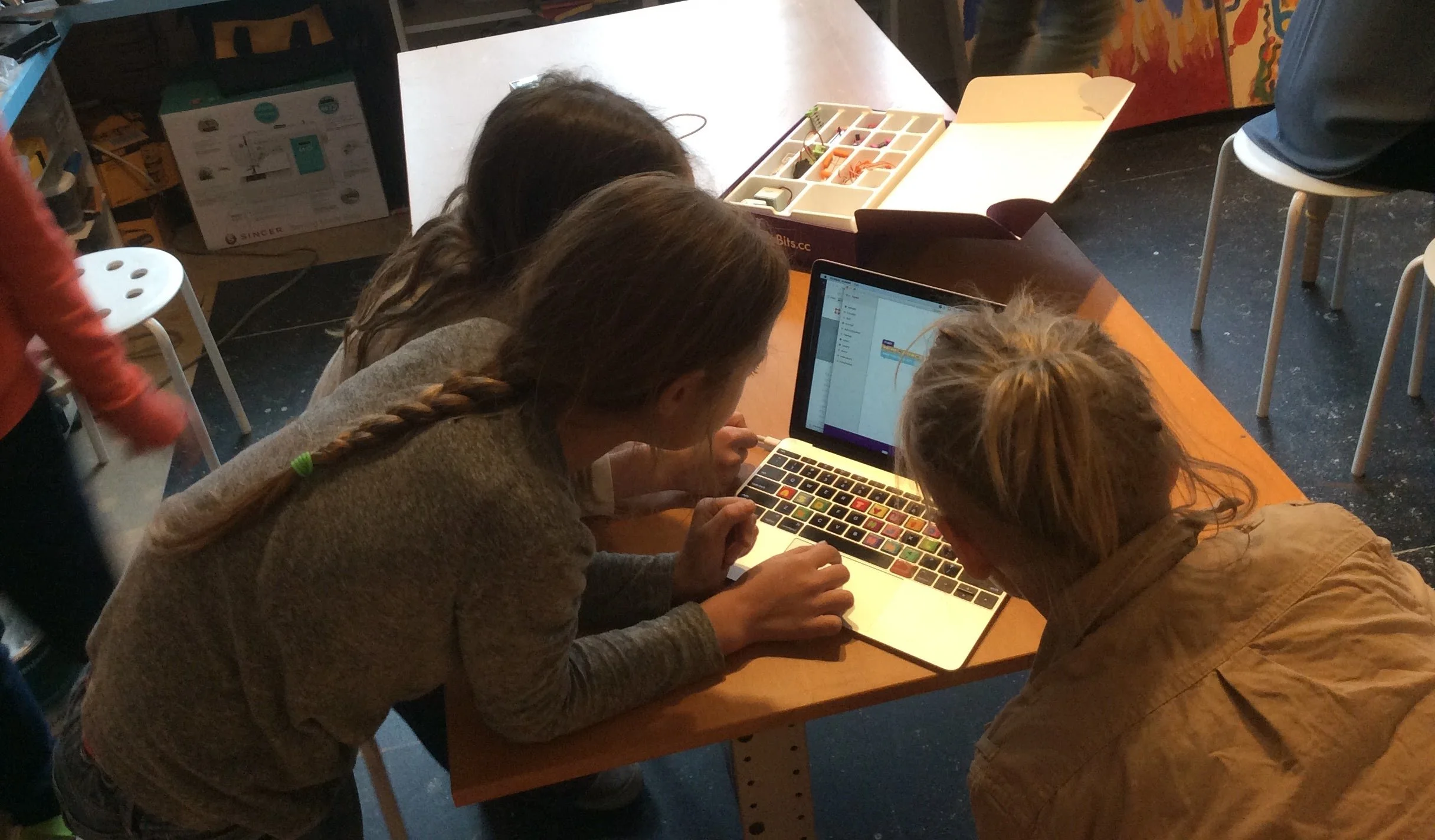
Students using Code Kit in the classroom
Our research uncovered practical classroom constraints that shaped the product experience.
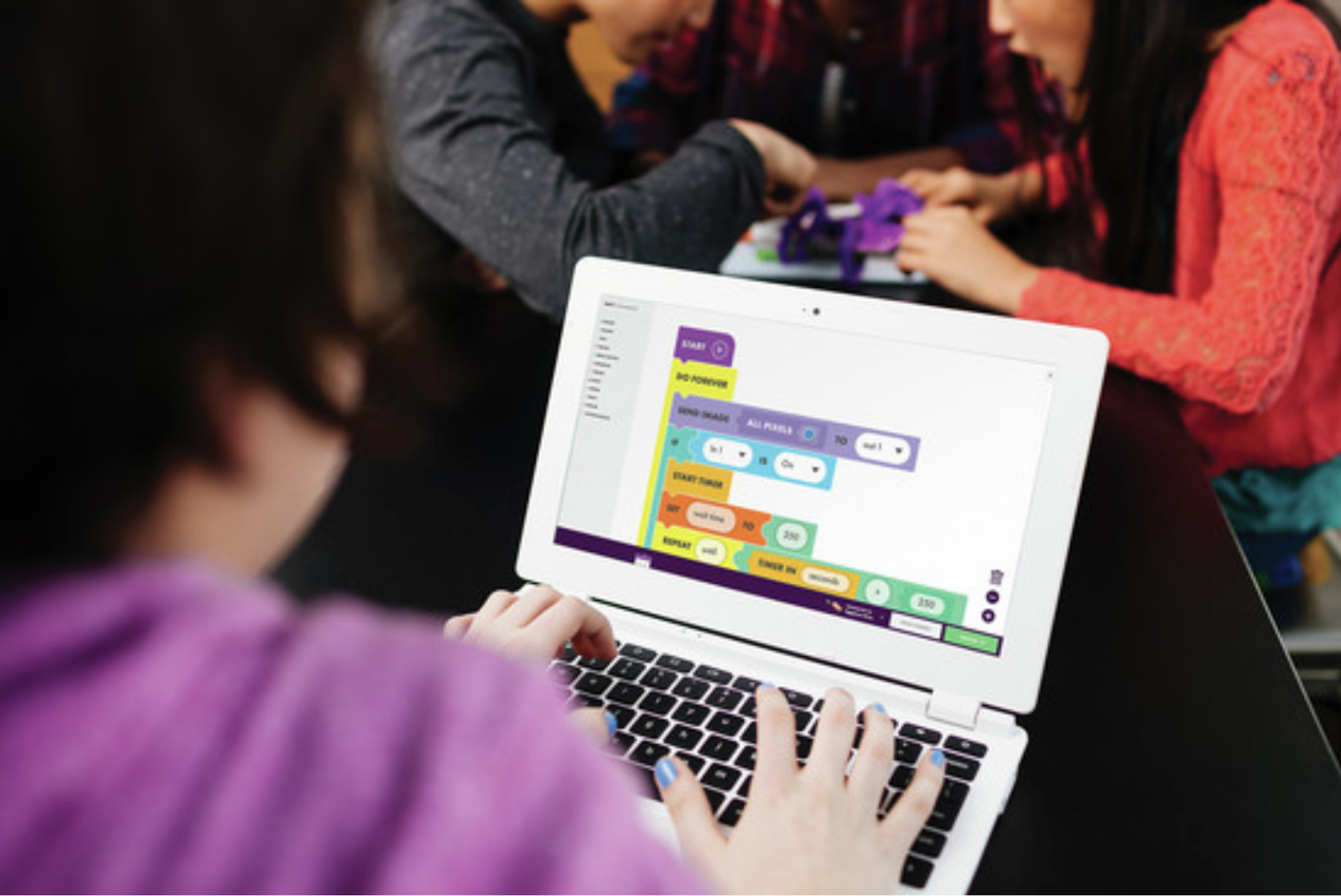
Most schools we spoke with used Chromebooks, so Code Kit needed to work as a desktop app on ChromeOS. The app brought together coding lessons, project instructions, and a coding environment, while also allowing students to wirelessly send their code to the physical circuits they built.
We also learned that schools couldn’t always rely on consistent internet access. To ensure students could access essential content regardless of connectivity, we designed the app to store instructional videos and other assets directly within the experience.
Designing for Progressive Learning
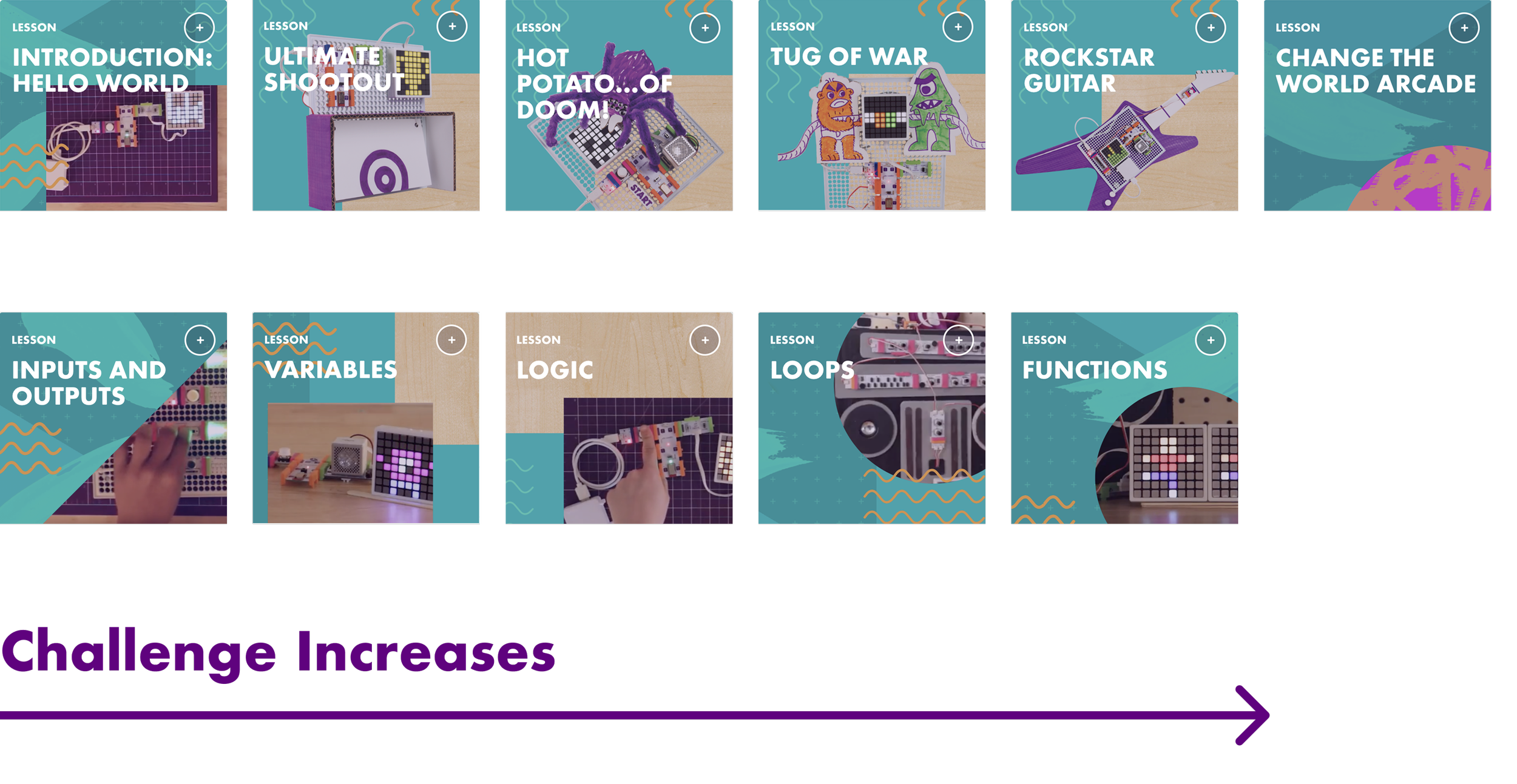
Code can be overwhelming for beginners, so we designed the learning experience to introduce concepts progressively. Students started with simple programs and gradually built toward more advanced concepts like variables, loops, conditionals, and functions.
The physical games provided a familiar framework for introducing each concept when students needed it. Rather than learning concepts in isolation, students could immediately apply them to make their games work.
Rethinking Instructional Content
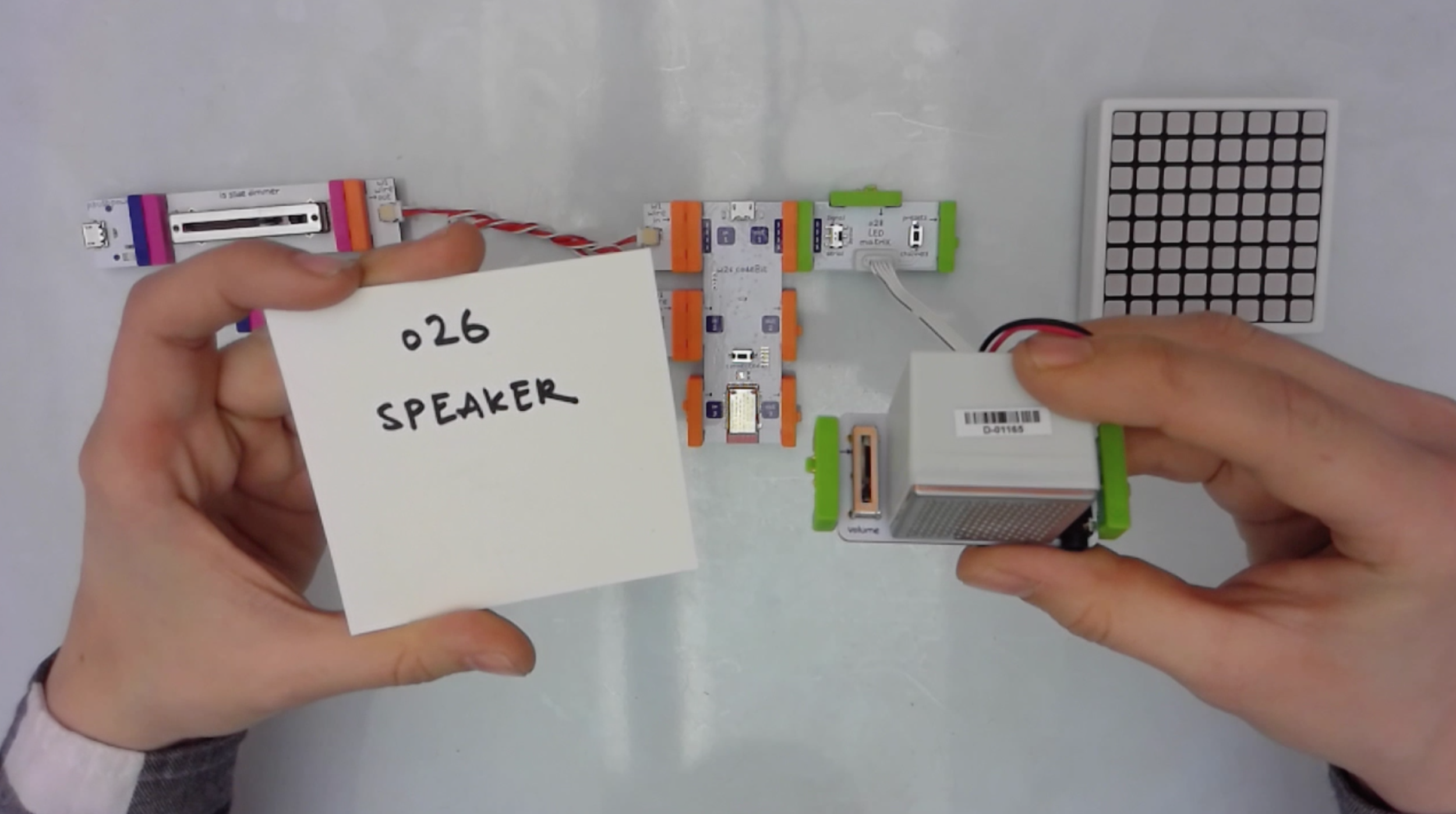
An early iteration of video instructions
One of the biggest opportunities was rethinking how instructions were delivered. Historically, littleBits used illustrated print booklets to guide students through projects. The desktop app gave us an opportunity to move beyond static instructions and create a more engaging learning experience.
We prototyped different approaches, including illustrated and in-app instructions, and found through testing that students responded particularly well to video. This led us to incorporate video and animation directly into the app, allowing students to learn by watching and following along as they built their games.
The final experience included:
4 hero projects to build, code, and remix
12 guided coding tutorials
11 classroom lessons for educators
5 setup videos for educators
Supporting Educators
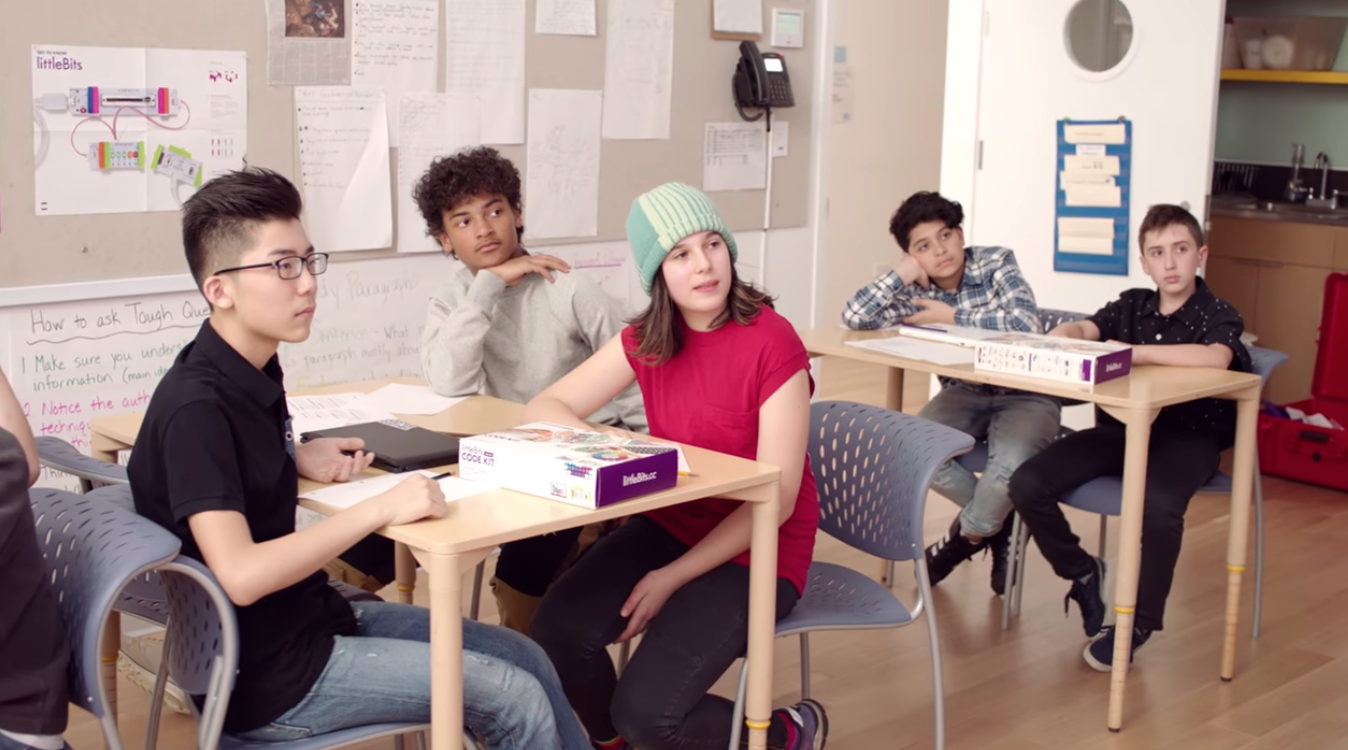
A still from one of our video resources for teachers
Student engagement was only one part of the challenge.
For Code Kit to work in the classroom, teachers needed to feel supported and confident enough to facilitate coding activities—even if they weren't experienced programmers themselves.
We partnered with educators from our advisory council to develop a collection of lessons, activities, videos, and resources designed to help educators understand coding concepts and guide their students through the projects.
This shifted the product from being simply a coding kit to a more complete classroom learning experience.
Final Experience
Code Kit brings together hardware, software, games, and educational content into one connected experience.
Students
Build physical circuits, learn block-based programming, create games, experiment with code, and see their programs come to life.
Teachers
Get lessons, activities, videos, and resources that help them introduce coding concepts and facilitate projects in the classroom.
The App
Acts as the bridge between the physical and digital worlds—providing onboarding, coding tools, project instructions, and educational content in one place.
Design Principles
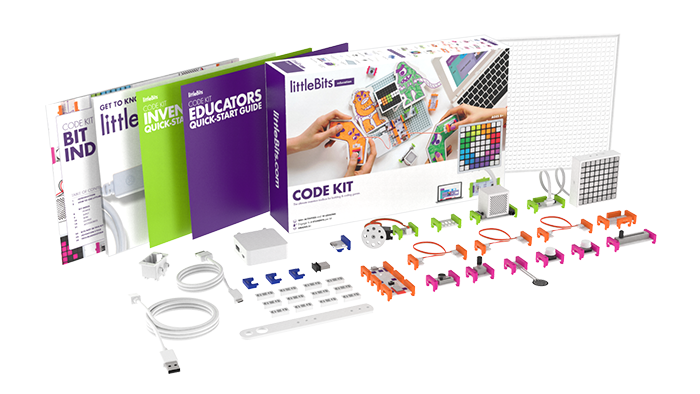
Make abstract concepts tangible
Connecting code to physical circuits helped students see the immediate impact of what they were learning.
Learn through play
Games gave students a motivating reason to engage with coding concepts.
Start simple, then build
Projects introduced coding concepts progressively so students could build confidence before tackling more advanced ideas.
Design for real classrooms
Hardware, device availability, and unreliable internet access all influenced the product experience.
Support teachers
A successful classroom product needs to account for the person facilitating the learning—not just the student using it
Final Thoughts
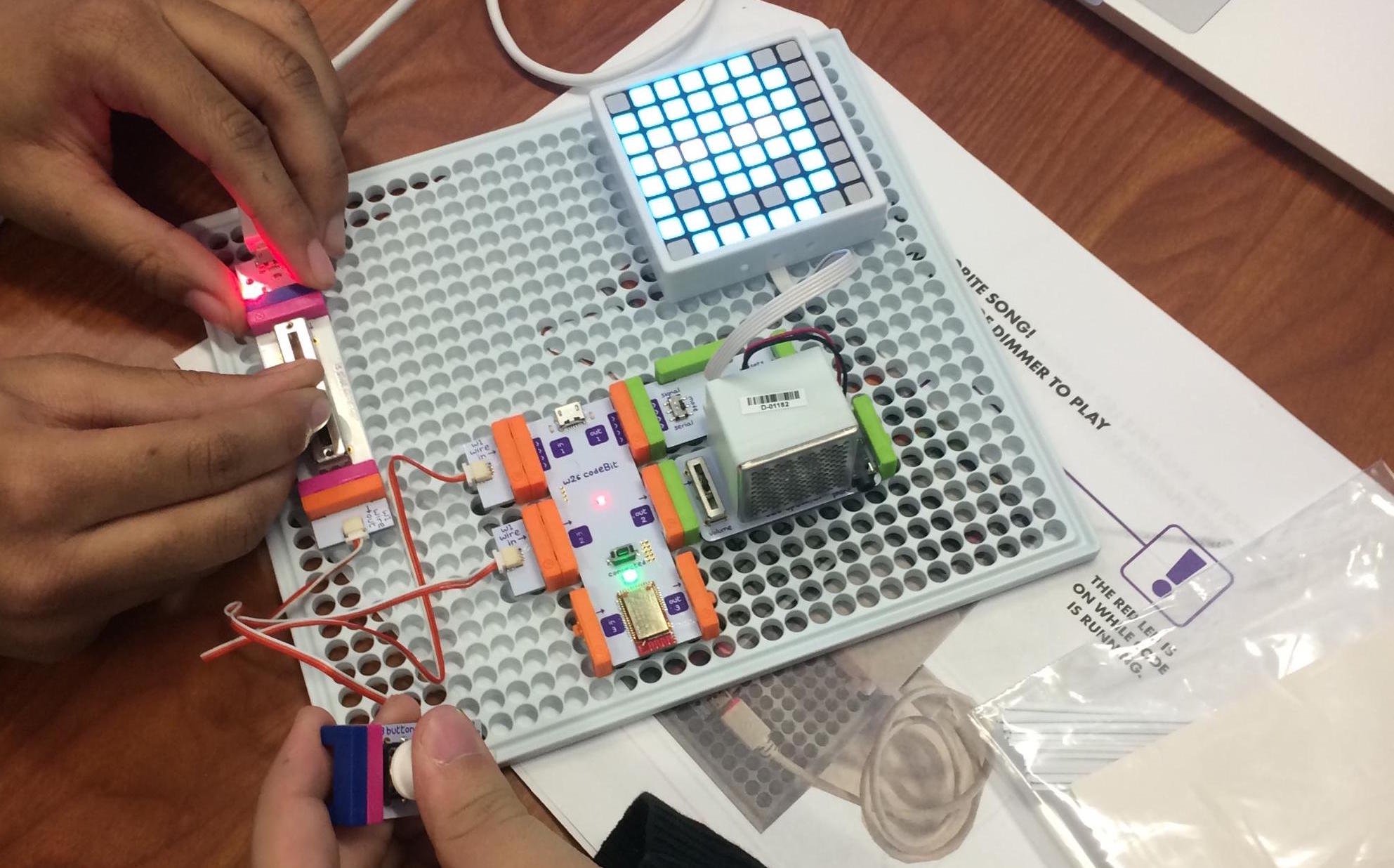
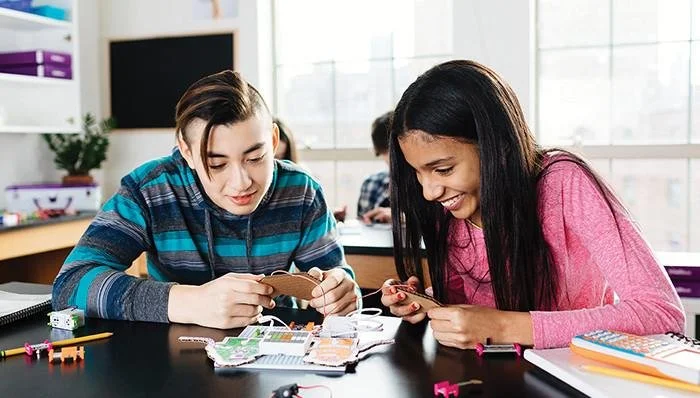
Students building a circuit in a real classroom
Code Kit was an opportunity to design across hardware, software, education, and content while solving for the very different needs of students and teachers.
The most important lesson was that making coding approachable isn't just about simplifying the code, it’s about creating the right context for learning.
By connecting coding concepts to games, physical interactions, and incremental challenges, we could make something that initially felt intimidating feel playful and tangible.
For me, the project was also a valuable exercise in designing a holistic product experience. From the first teacher conversations to classroom testing, app design, instructional content, and cross-functional collaboration, every part of the experience contributed to how students ultimately learned to code.
building an authoring ecosystem